
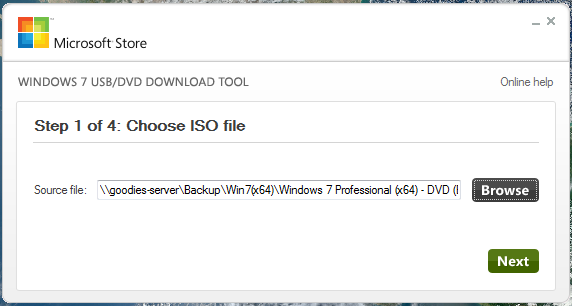
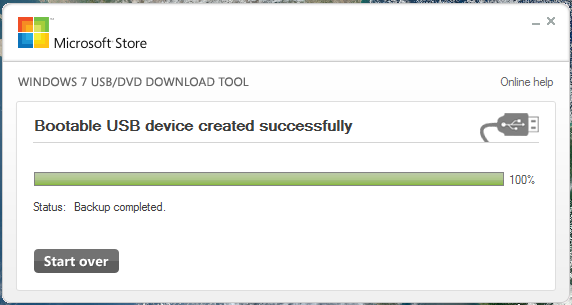
The Windows USB/DVD Download tool allows you to create a copy of your Windows 7/8 ISO file on a USB flash drive or a DVD. To create a bootable DVD or USB flash drive, download the ISO file and then run the Windows 7 USB/DVD Download tool. Once this is done, you can install Windows 7 or Windows 8 directly from the USB flash drive or DVD.
The ISO file contains all the Windows installation files combined into a single uncompressed file. When you download the ISO file, you need to copy it to some medium in order to install Windows. This tool allows you to create a copy of the ISO file to a USB flash drive or a DVD. To install Windows from your USB flash drive or DVD, all you need to do is insert the USB flash drive into your USB port or insert your DVD into your DVD drive and run Setup.exe from the root folder on the drive.
Note: You cannot install Windows from the ISO file until you copy it to a USB flash drive or DVD with the Windows 7 USB/DVD Download tool and install from there.
The copy of the ISO file that the Windows USB/DVD Download tool creates is bootable. Bootable media allows you to install Windows 7 without having to first run an existing operating system on your machine. If you change the boot order of drives in your computer’s BIOS, you can run the Windows 7 installation directly from your USB flash drive or DVD when you turn on your computer. Please see the documentation for your computer for information on how to change the BIOS boot order of drives.
| Price | Free |
| Version | 1.0 |
| Release Date | January 9, 2018 |
| Category | Utilities |
| Subcategory | System Utilities |
| Operating Systems | Windows |
| Publisher | Microsoft http://www.microsoft.com |
Screen shots


Download
Installer | Windows7-USB-DVD-Download-Tool-Installer-en-US.exe | 2.6 MB